Manufacturing document control
1 current revision
Clear current vs superseded state
QR at point of use
Operators open the right file fast
Optional sign-off
Use Operator ID + PIN only when needed
Document control for manufacturing teams that need the current instruction at the workstation
RevQR is for plants that already have released PDFs and need a clean way to publish the current revision, keep obsolete copies out of daily use, and show the history when QA asks.
What the search really means
Why the current `document control` clicks matter
The traffic arriving now is broader and colder than QR-specific traffic. The page has to explain the category in manufacturing terms before it asks for a trial.
Current at the workstation
The operator should not decide which PDF is current. The system should.
Obsolete copies out of live use
Old revisions can stay in history, but they should stop behaving like live instructions.
Evidence without a detective project
When QA, engineering, or an auditor asks what was current, the answer should be quick and visible.
Screenshots
Screens the floor recognizes.
Document detail, approval, scheduled release, controlled register, audit evidence, and QR delivery.
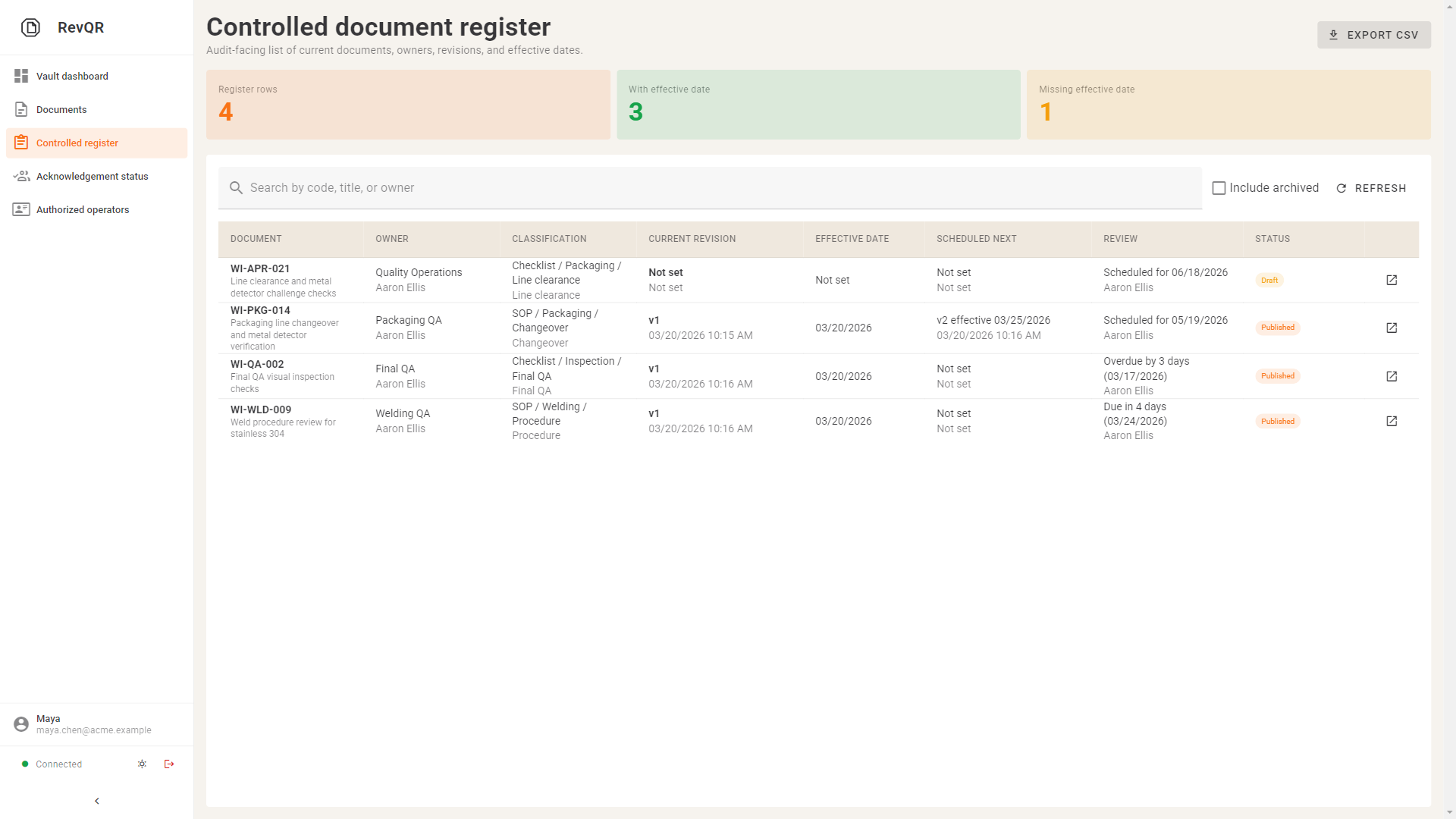
Controlled register
Filter the live register by classification, owner, review date, and current revision.
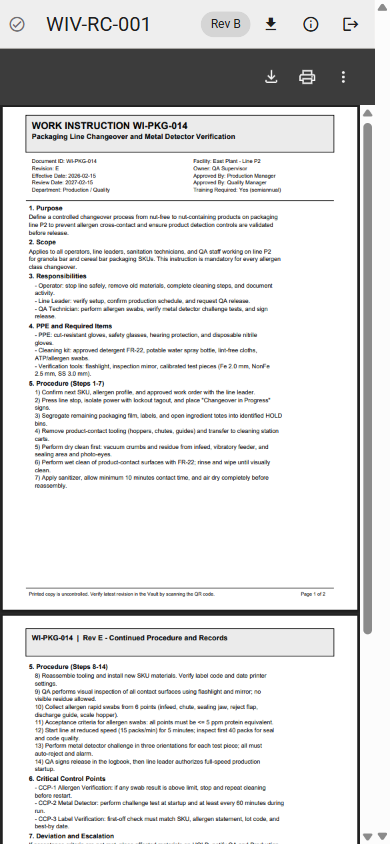
QR mobile view
Operators scan once and open the current approved revision on any phone.
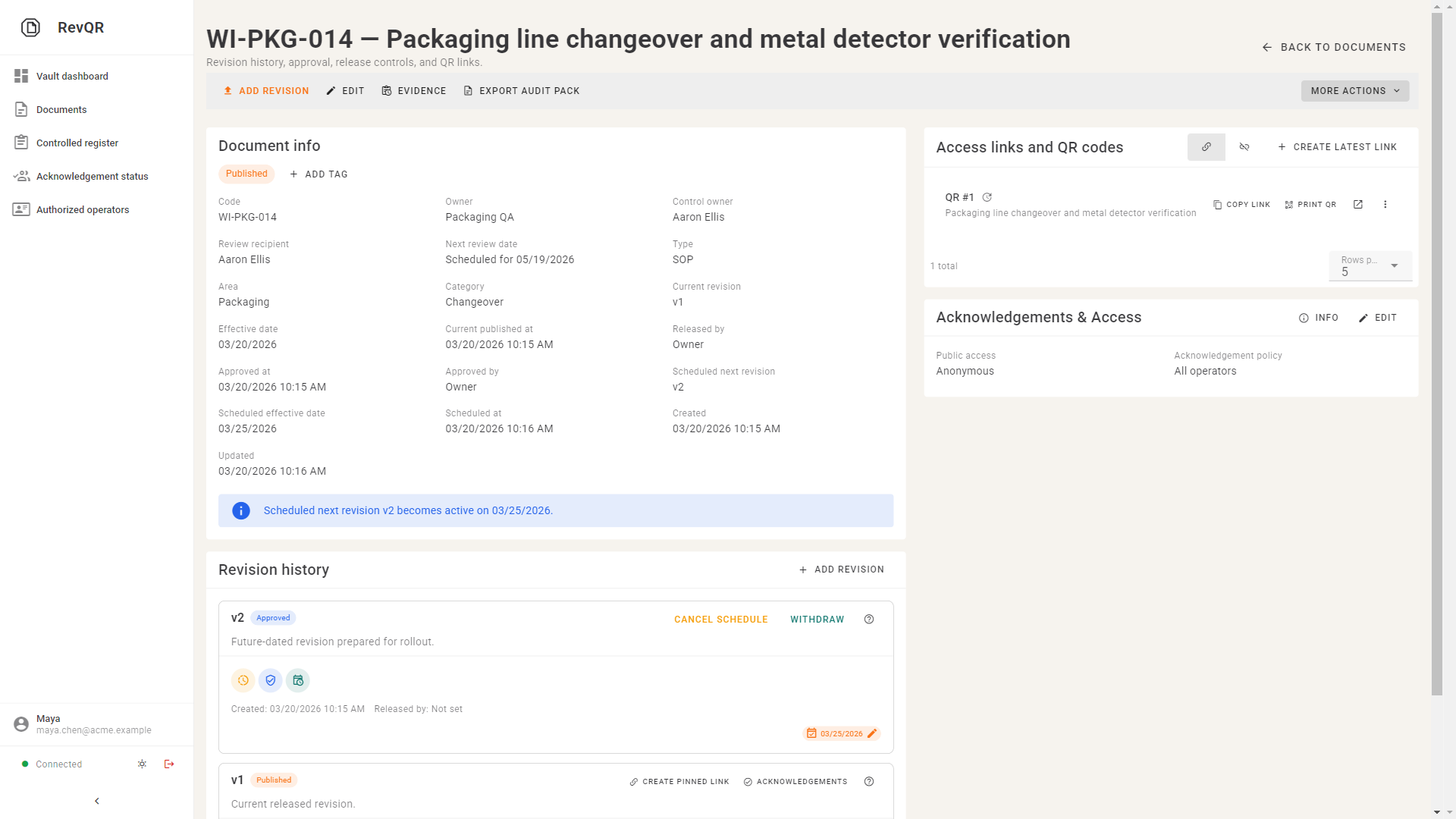
Document detail
Review owner, current revision, effective date, and release trace from one screen.
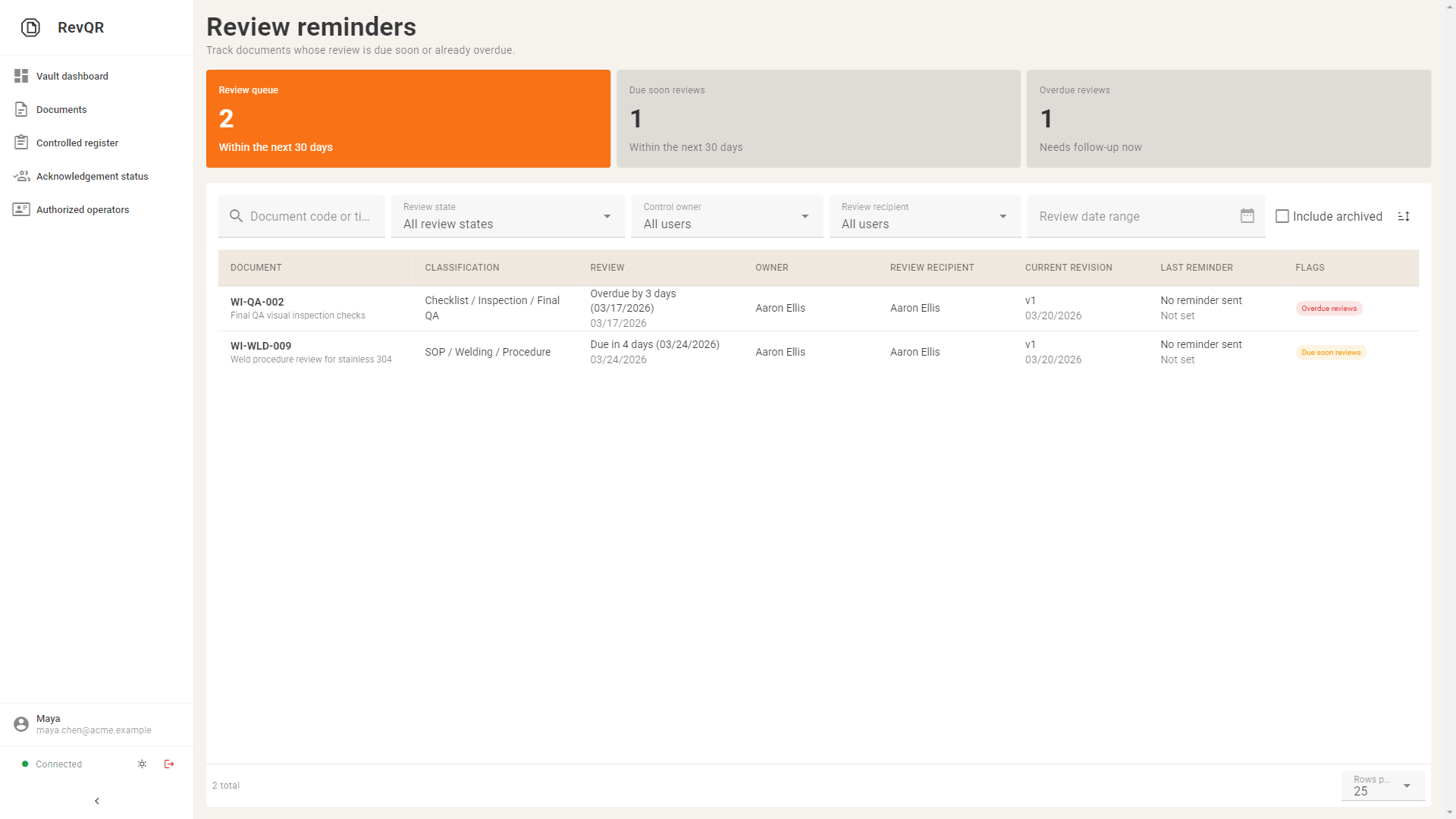
Review reminder desk
Track due-soon and overdue document reviews with the last reminder sent.
Common options
Where the usual options break down
Most teams evaluating document control for manufacturing are really choosing between three shapes of solution.
Cheap to store. Weak at point-of-use control.
- Operators may still browse folders or rely on tribal knowledge
- Version history does not equal a clean current/superseded release state
Powerful, but often bigger than the line-side problem.
- Broader rollout, governance, and training before the first workstation improves
- Can be right upstream, but heavy if the urgent pain is revision control on the floor
Narrower scope, faster answer.
- Publish one current revision, keep superseded history, and deliver by QR
- Use latest links for daily work and pinned links when traceability must stay fixed
Fit check
Where RevQR fits and where it does not
Best fit
- Small to mid-size manufacturing teams using PDFs, images, or CAD exports as released instructions
- Ops or QA teams trying to stop obsolete revisions from lingering on the line
- Plants that want controlled rollout without forcing operator accounts or a full PLM project
Not the right fit
- Teams looking for a full QMS, PLM, CAD-management, or training-matrix replacement
- Programs where the main pain is engineering BOM/ECO governance rather than workstation delivery
- Organizations expecting RevQR to replace broader compliance workflows end to end
Pilot planning
Plan the first rollout around the documents that fail audits.
Tell us where outdated instructions still appear, which stations matter first, and whether named acknowledgement is really needed.
Start with one workstation
Scope the pilot to one released instruction, one QR poster, and one real station before widening the rollout.
Keep the proof in scope
Focus on current revision, release history, effective date, and named acknowledgement only where the process requires it.
Use the pilot to de-risk rollout
A small pilot is enough to test operator access, supervisor evidence, and audit-floor confidence.
What happens next
Book pilot
Tell us how the rollout should start.
We use this to shape the first line, first document family, and first proof point.